Real command sequences
Students learn the order of operations, where commands live, and how CATIA expects mouse and keyboard input.

CATIA 3DExperience (3DX) training for Windows PCs
Practice real mouse movements, menu picks, sketching, part design, and assembly workflows in a local simulator built for people who need job-ready CATIA skills.
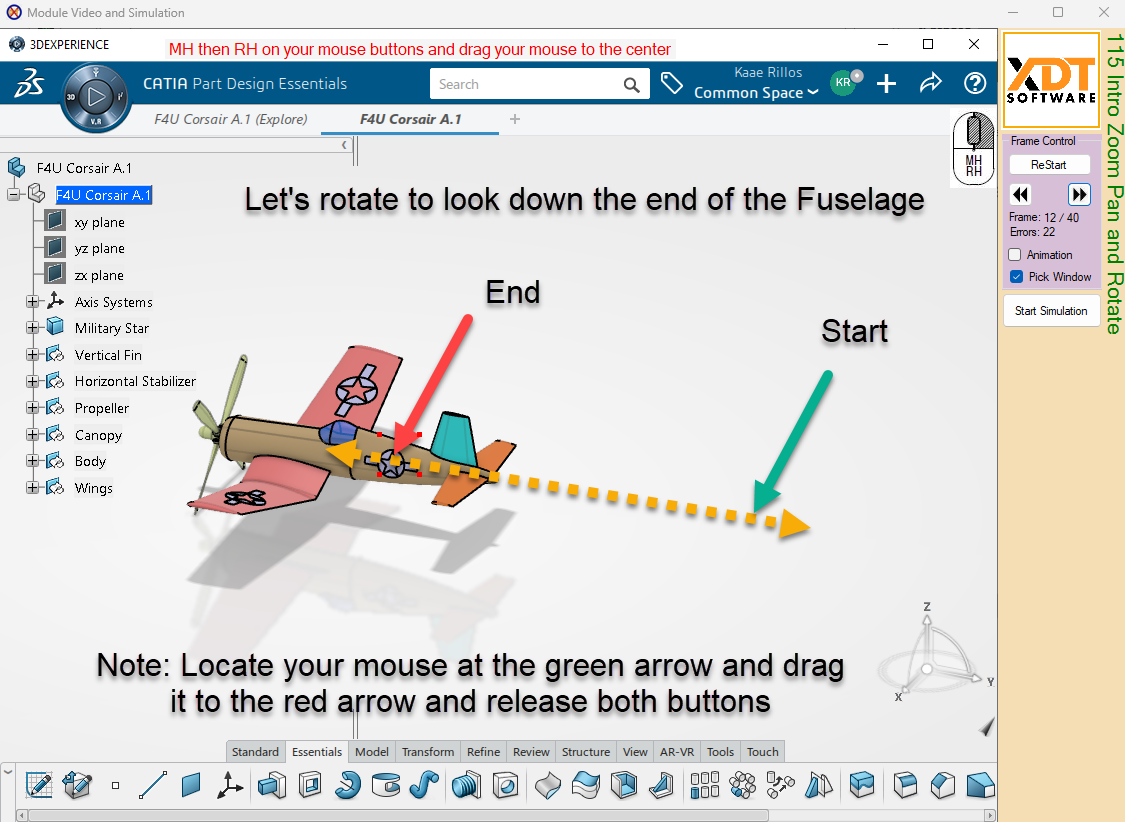
You get one full year's access to our PC simulation training to keep your training current, for reference material, or for that new job. The simulation method makes you feel like you are using actual CATIA. You get all the muscle memory additional learning, in a structured teaching method developed by experts in efficient CATIA design.
Students learn the order of operations, where commands live, and how CATIA expects mouse and keyboard input.
Each module can show the learner what to select next, where they went wrong, and how to complete the modeled feature.
Use your new skills for design and manufacturing for major aerospace companies like Boeing, Lockheed, Gulfstream, Northrop Grumman, Airbus, Bombardier, and their supply chain.
Instructor experience
All course content was created by Kaae Rillos, a longtime CATIA instructor and automation developer.
Real student outcomes and confidence matter more than generic course promises.
...
These cards create internal SEO links and guide buyers toward the right landing page.
For students who already know they want structured CATIA 3DExperience (3DX) instruction.
View CourseFor students searching for a practical way to learn CATIA without access to the software.
Learn HowFor students pursuing aerospace design, manufacturing, supplier, or Boeing-adjacent roles.
See Career PathGive students a low-risk way to see the interface, installation steps, and training style.