Mouse controls
Practice rotate, pan, zoom, selection, and the mouse-button sequences that often slow down new CATIA users.
No CATIA license required
Build CATIA 3DExperience (3DX) workflow confidence on your Windows PC before you ever sit at a licensed workstation. 3DXTrain gives you one full year of access to structured lessons and a simulator that teaches CATIA-style commands, mouse movements, and design habits.
The access problem
CATIA 3DExperience (3DX) is expensive industrial CAD software, and access is usually controlled by employers, schools, or licensed workstations. That makes it difficult for students, job seekers, and career changers to practice before a class, interview, or new job.
The 3DXTrain solution
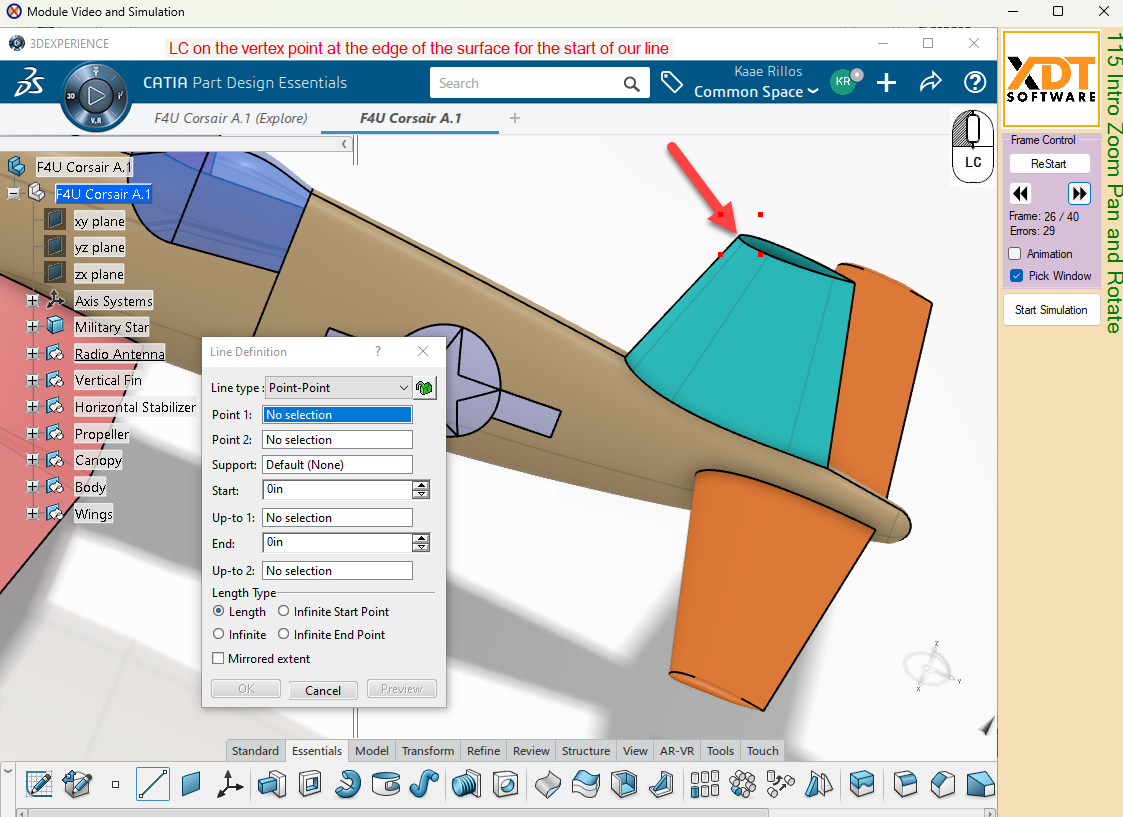
3DXTrain does not install CATIA. It gives you a local training simulator that recreates CATIA-style menus, prompts, mouse movements, and guided exercises so you can learn the workflow before using the real software.
The simulator is built to help you understand how CATIA expects you to think, select, move, and build geometry.
Practice rotate, pan, zoom, selection, and the mouse-button sequences that often slow down new CATIA users.
Learn how CATIA workbenches, toolbars, menus, and prompts guide the design process.
Build familiarity with profiles, constraints, dimensions, and edit behavior before using a licensed workstation.
Practice the order of operations for creating and editing common part features.
Learn how the model tree is used to organize, select, inspect, and edit CATIA geometry.
Follow structured exercises that teach where to click, what to select, and how to recover from common mistakes.
College proof
Everett Community College and Pierce College use XDT simulation-based CATIA training for students who need structured CATIA 3DExperience (3DX) instruction.
No. The training uses the XDT CADSimulator so you can practice CATIA-style workflows without installing CATIA.
No. It is an independent simulator designed for training. It teaches CATIA 3DExperience (3DX)-style commands, interactions, and workflows, but it is not a licensed CATIA production system.
Yes. The goal is to help you understand the interface, workflow order, mouse behavior, and design habits before you sit at a licensed CATIA workstation.
The simulator is designed for Windows PCs. Mac users would need a Windows environment capable of running the simulator.
Private student enrollment includes one full year of access.
Yes. Use the free demo containing four training modules to see the simulator and training style before enrolling.
Start building CATIA 3DExperience (3DX) confidence with one full year of online lessons and simulator practice.